- Create a Task content type.
- Create a Task Log storage entity type.
- Add a Task reference field.
- Configure automatic label: [storage:field_task:entity:label] - [storage:created].
- Create a Task Complete flag type.
- Ajax link type.
- Configure for Task content type.
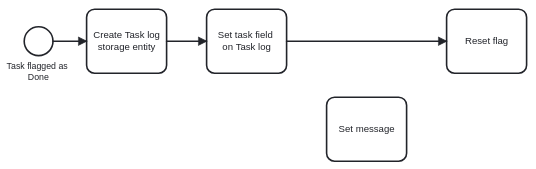
- Create Log Task ECA workflow.
- Event: Flag
- Action: Create Task Log entity
- Action: Set Task Log Task reference field to flagged entity.
- Save Task Log.
- Action: Preconfigured: Delete flagging
Now there should be a flag button on your Task. When clicked, this will create a Task Log storage entity and reset the button, allowing you to click it again.
Next steps:
Indicate that the button has been clicked by setting a message.