Drupal's default taxonomy pages shows the term details and lists content that references the term, with the teaser display mode.
Sometimes you need to display taxonomies differently, or users from accessing them.
How it's implemented
The default display is a view, with the rendered term in the header, and listing content that is tagged with the term.
The taxonomy module has a canonical route for term entities at /taxonomy/term/ID.
The view route and access rules override the canonical entity route.
This means that you can block access to a vocabulary in the view, but any links to the term will still be rendered.
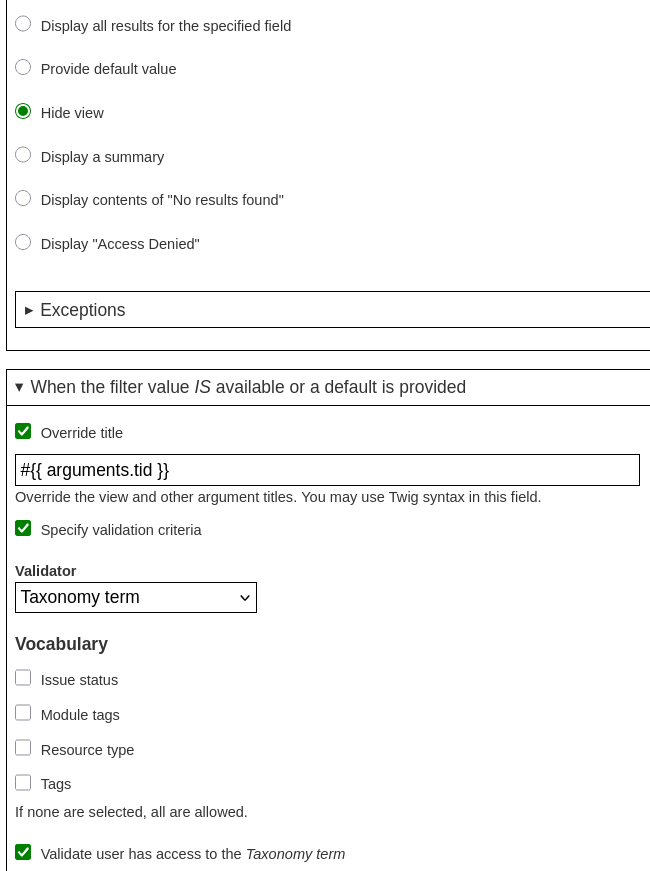
Option 1: Modify the view
You can also select vocabularies to use the view for. This is under the Content: Has taxonomy term ID contextual filter.
Option 2: View Rabbit hole module on Drupal.orgRabbit hole module
This will allow you to restrict access to the taxonomy, turning links into text for restricted users.
- Enable rh_taxonomy
- Configure rabbit hole settings for vocabularies.