A content audit is a site review to see how content is structured and used.
Major content questions
How is the content structured?
How is the content used?
How is the content displayed?
Entities and bundles
In Drupal, content is implemented as entities, with Node being the class for common content types.
A bundle is an entity subtype, with it's own collection of fields.
There are some core entities to expect in every site: Content, Blocks, Users, Menu links, etc.
Other entities are provided by modules: IE Paragraphs.
Entity types are usually configured under Admin > Structure.
View Entity Count on Drupal.orgEntity Count provides a quick report with a count per entity type/bundle.
Questions
- How many pieces of content per type?
- What non-core entities exist?
- How is the content related?
Fields
Field List Report: Admin > Reports > Field list
Basic list of fields, and where they are used in entities and views.
Questions
- Keep or change existing field names?
- What non-core fields exist?
Create content audit views
Create a content audit view, or add displays to the content admin view.
For each content type, create a display showing a table with all the fields.
Configure the displays as tabs on the content page.
Views can't do secondary tabs, try the Views Local Tasks module or create a *.links.task.yml file.
Try the Views Attachment Tabs module to automate the tabs setup.
Add summary text to the header to see a count of content per type.
Additional questions
- What navigation structures does the content have?
Recommended Modules
Xray Audit
View Xray Audit on Drupal.orgXray Audit
Provides reports that help inspect a site's content and structure.
Filter Format Audit
View Filter Format Audit on Drupal.orgFilter Format Audit
Get a report of the HTML in your content.
Entity Usage
View Entity Usage on Drupal.orgEntity Usage
How can you tell where a piece of content is displayed in the system?
The Entity Usage module can track where an entity is used in a reference field, and provides a tab with a listing.
This is an area where Drupal core is quite limited.
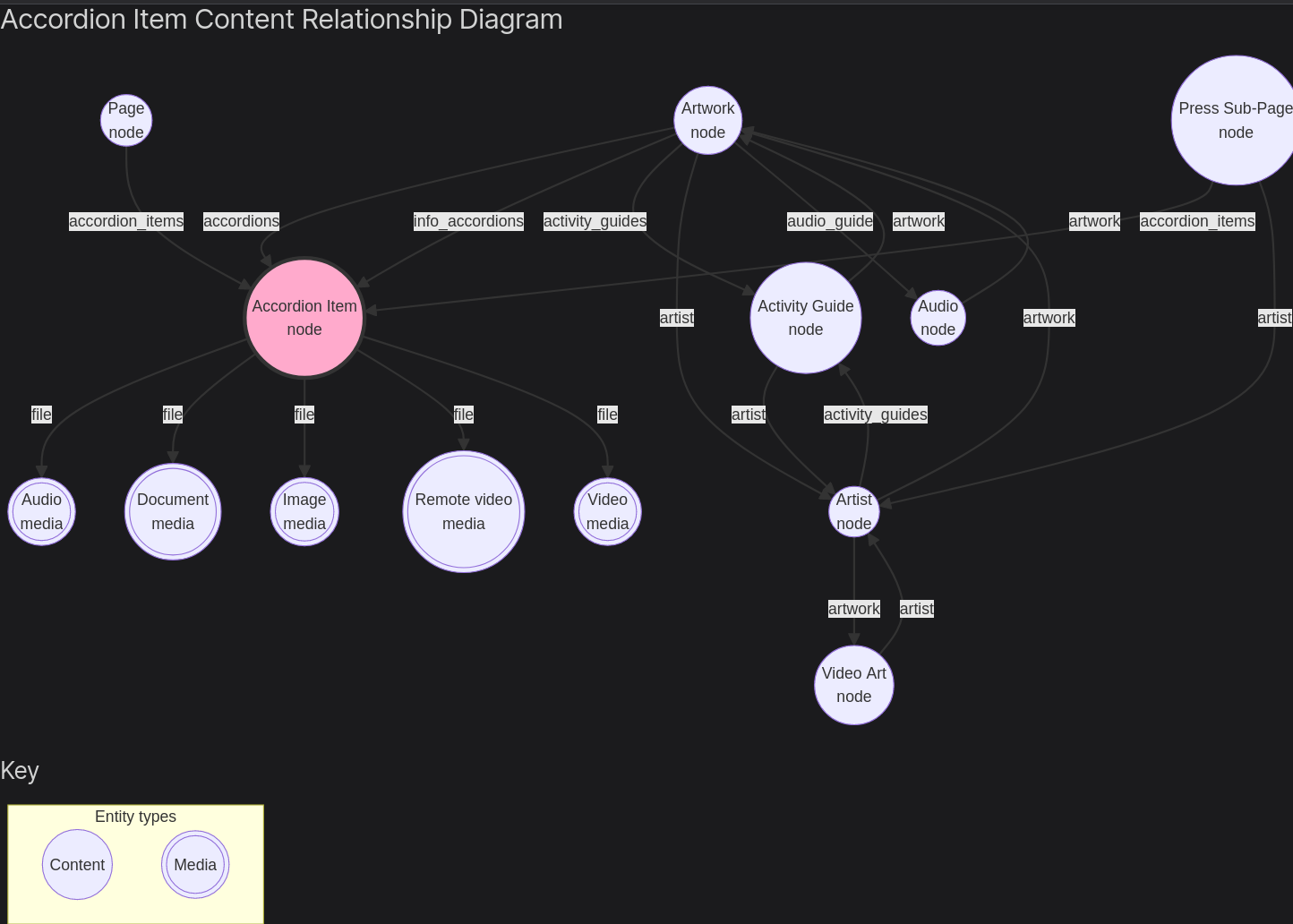
Content Model Documentation
View Content Model & Site Documentation on Drupal.orgContent Model & Site Documentation
Provides a few helpful reports.
Entity relationship diagrams with mermaid.js.
Layout Builder
View Layout Builder Reports on Drupal.orgLayout Builder Reports
View Layout Builder Settings Report on Drupal.orgLayout Builder Settings Report
View Layout Builder Usage Report on Drupal.orgLayout Builder Usage Report
More modules
View Content Insights Report on Drupal.orgContent Insights Report
Configurable reports, shows % of content per type.
View Content Type Audit on Drupal.orgContent Type Audit
Count of content types, with filters.
View Entity Tracer on Drupal.orgEntity Tracer
Explore entity reference fields.
View Content Audit on Drupal.orgContent Audit
Generate content inventory.
View Data Count on Drupal.orgData Count
Count of nodes and users.
View Entity Count on Drupal.orgEntity Count
Count per entity/bundle.
View Entity Count Tokens on Drupal.orgEntity Count Tokens
Tokens for entity/bundle counts.
View Entity Mesh on Drupal.orgEntity Mesh
Graph entity links from rendered content.
View Entity Count Analyzer on Drupal.orgEntity Count Analyzer
Count of entities (core only out of the box).
View Broken entity reference finder on Drupal.orgBroken entity reference finder
Find broken entity references.
View Entity Reference Finder on Drupal.orgEntity Reference Finder
Show reference fields in entity/bundle.
View Extra SiteInfo on Drupal.orgExtra SiteInfo
Drush commands to get node/role/user counts.
View Node Usage on Drupal.orgNode Usage
Block showing node counts.
View Structure Map on Drupal.orgStructure Map
Entity structure reports.
View Paragraphs Report on Drupal.orgParagraphs Report
Paragraph count reports.
View Paragraphs Usage on Drupal.orgParagraphs Usage
Paragraph usage reports.
View Audit Export on Drupal.orgAudit Export
Audit content/structure csv export.